 Stockfuss
What do I have?
Every sale, delivery and count is recorded, so the number you see is the number on your shelf. Nothing is overwritten, so you can always see what changed.
Know what you have, where it is and what to order. Add your items, scan a barcode when something sells, and Stockfuss keeps count. One payment, no subscription.
Windows desktop app, coming to the Microsoft Store.
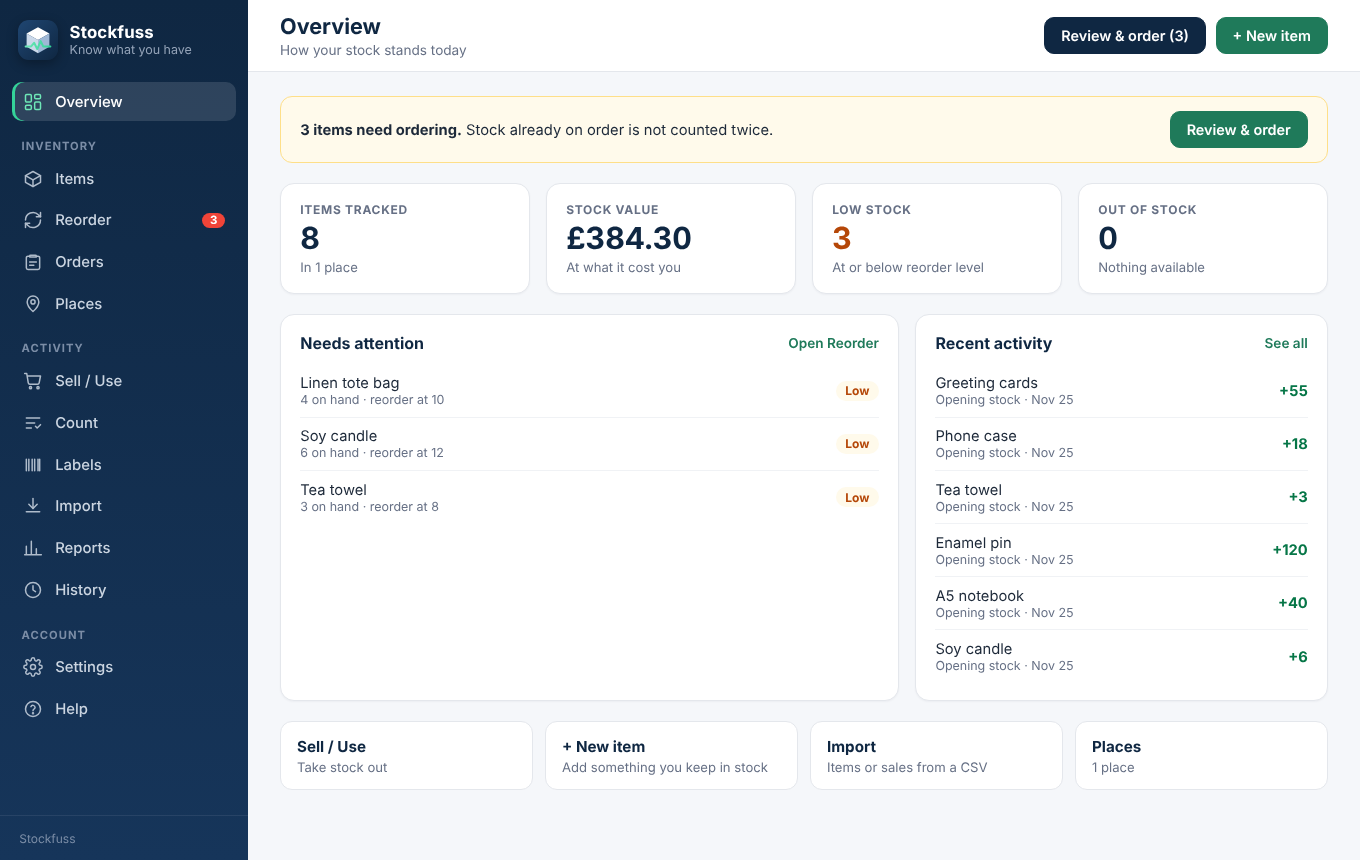
Most stock problems come down to the same three things. Stockfuss puts the answers on one page.
Every sale, delivery and count is recorded, so the number you see is the number on your shelf. Nothing is overwritten, so you can always see what changed.
Keep stock in more than one place: the shop, the storeroom, the van. Move it between them and see what is where.
The reorder list shows everything running low with a suggested quantity, and turns it into a supplier order in one click.
Simple on a quiet Tuesday, capable when stock gets complicated.
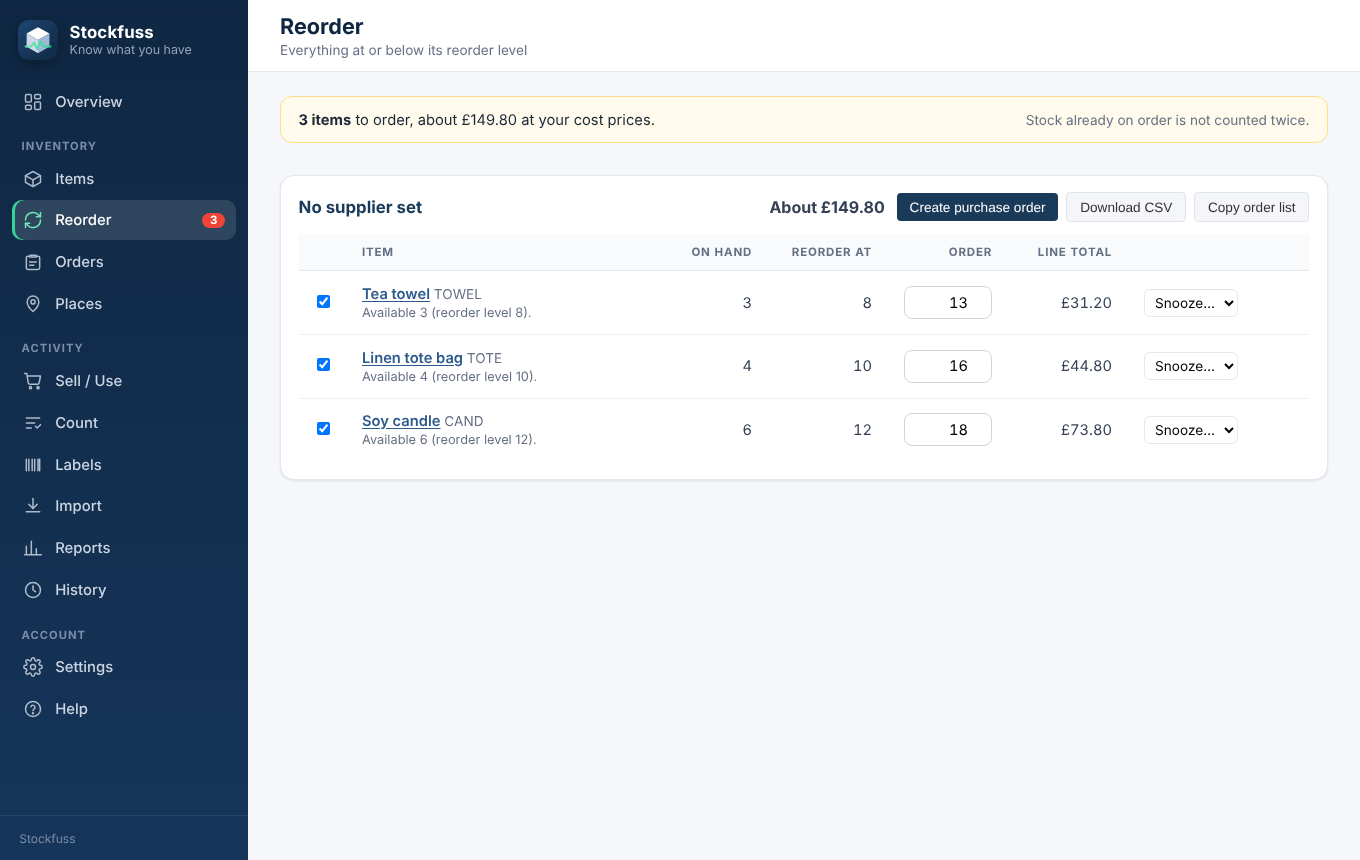
Set the level at which you want to be warned. When an item reaches it, it lands on your reorder list with a suggested quantity and a cost. Tick what you want, create the purchase order, or copy the list to send to your supplier.
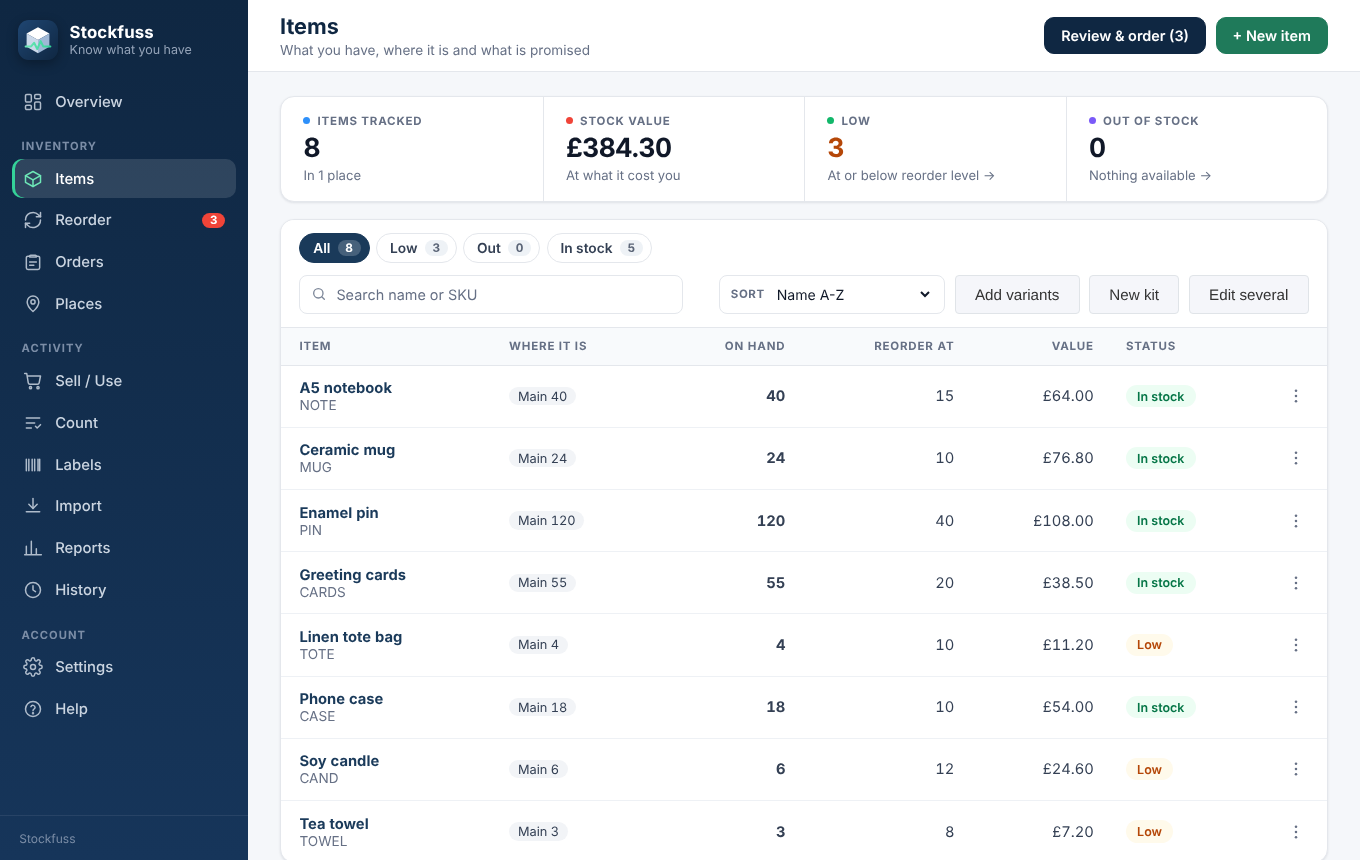
Add items by hand, or import them from a spreadsheet. Search, sort and change prices for many items at once, and see at a glance what is low.
Stockfuss has no accounts and no servers holding your stock. Everything is saved on your own computer.
Stockfuss is a one-off payment with no subscription. The price will be on the Microsoft Store listing when it launches.
It is a Windows app and will be on the Microsoft Store. Email support@stockfuss.com and we will tell you as soon as it is live.
Yes. A USB barcode scanner works like a keyboard, so you scan an item to find it, sell it or receive it. You can also print barcode labels from the app.
Yes. Import items, sales and deliveries from CSV or Excel files, from PDF delivery notes, and from Shopify.
On your computer. If you choose to turn on sync, it goes to a folder in your own Google Drive or OneDrive account, and only that account holder can see it.
Stockfuss is made by Label-Pro, a small UK software publisher.
Tell us and we will let you know the moment Stockfuss is in the Microsoft Store.
Get early access